LogoEditPic
  • Image Tools
  • How It Works
  • Pricing
  • FAQ

Blog

Step-by-step guides to editing images with EditPic

LogoEditPic

Edit photos in your browser: adjust colors, crop, resize, compress, add text and borders, combine images or cover details with mosaic.

[email protected]
Product
  • Features
  • Pricing
  • FAQ
Editing tools
  • Crop Images
  • Rotate & Flip
  • Resize Images
  • Add Text
  • Add Borders
Getting started
  • How It Works
  • Blog
Legal
  • Cookie Policy
  • Privacy Policy
  • Terms of Service
  • Refund Policy
© 2026 EditPic. All rights reserved.
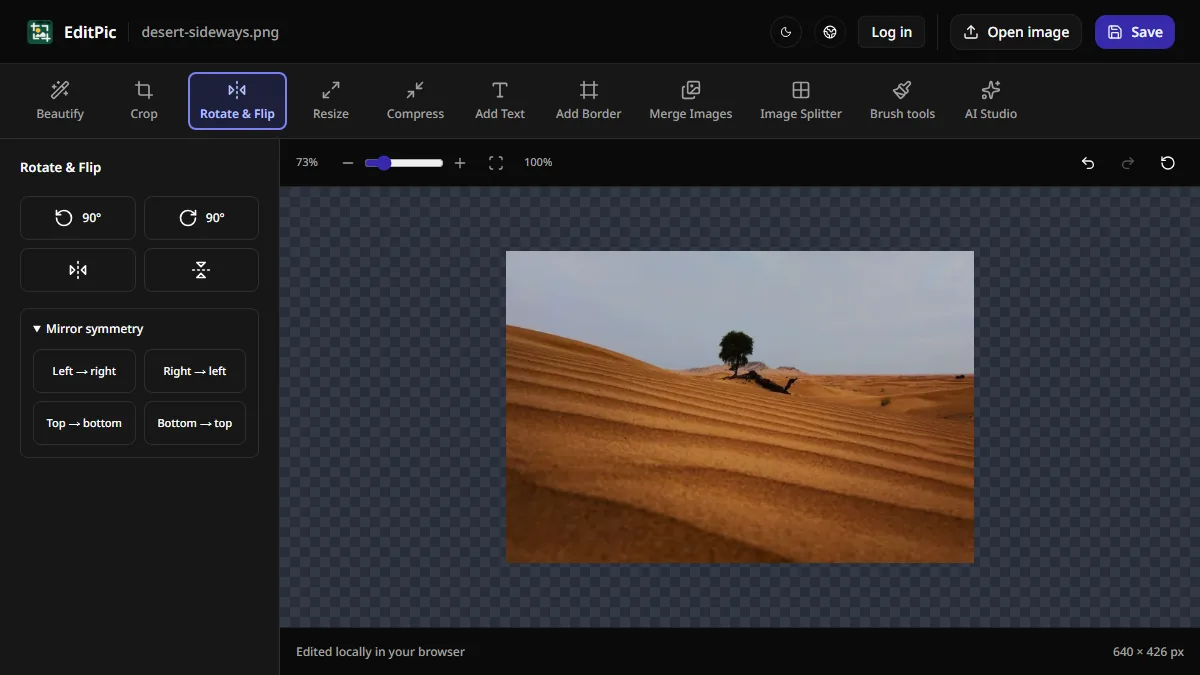
EditPic's Rotate & Flip panel beside an upright desert photo after a 90-degree rotation.
Image Editing

How to Rotate or Flip an Image Online

Turn a sideways photo 90 degrees, flip an image left to right, or straighten a tilted photo in EditPic and download the corrected image.

avatar for EditPic
EditPic
2026/11/18
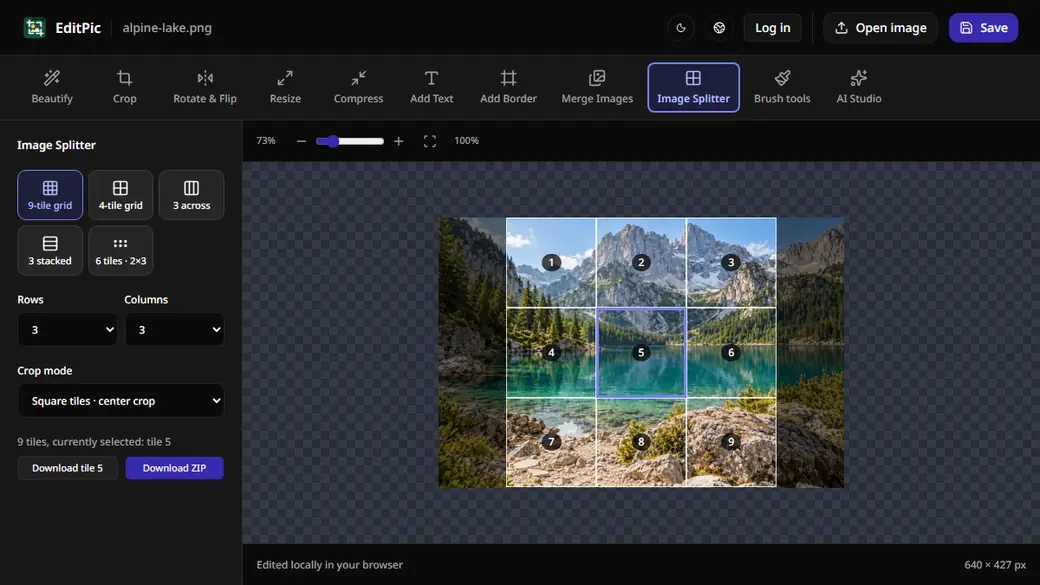
The EditPic Image Splitter previewing a 3×3 grid of square tiles on an alpine lake photo with the center tile selected.
Image Editing

How to Split an Image Into Equal Parts Online

Split an image into a 3×3 grid, strips, or custom rows and columns in EditPic. Download one PNG tile or export every tile in a ZIP file.

avatar for EditPic
EditPic
2026/11/18
  • Previous
  • 1
  • 2
  • Next